 Pasture Path
Rotational grazing app for paddock moves and rest days
Tell Pasture Path when a herd moves and it keeps the clock for you: how long each paddock has been grazed, how long each has rested, and which one is ready next.
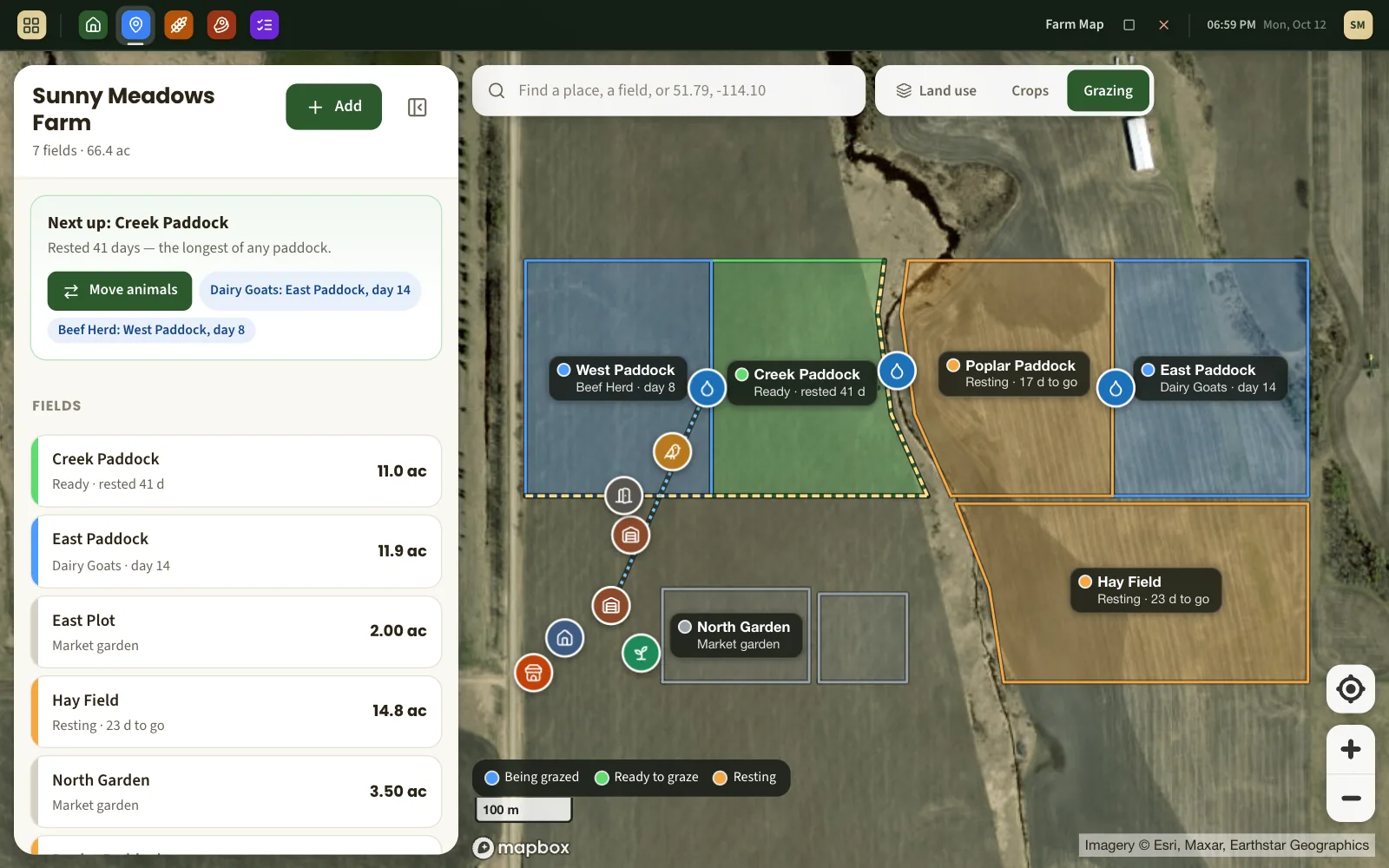
Moving the herd is one tap
Pick the group, pick the paddock, done. The paddock they left starts resting from that day; the one they entered starts counting days grazed. Forgot to log it on Tuesday? Give the move its real date. Split the group? Say how many head went.
- Cattle, sheep, goats, pigs, poultry — any group you keep.
- Two groups can share a paddock; a group is only ever in one place.
- Bring a group in off pasture altogether when the season ends.
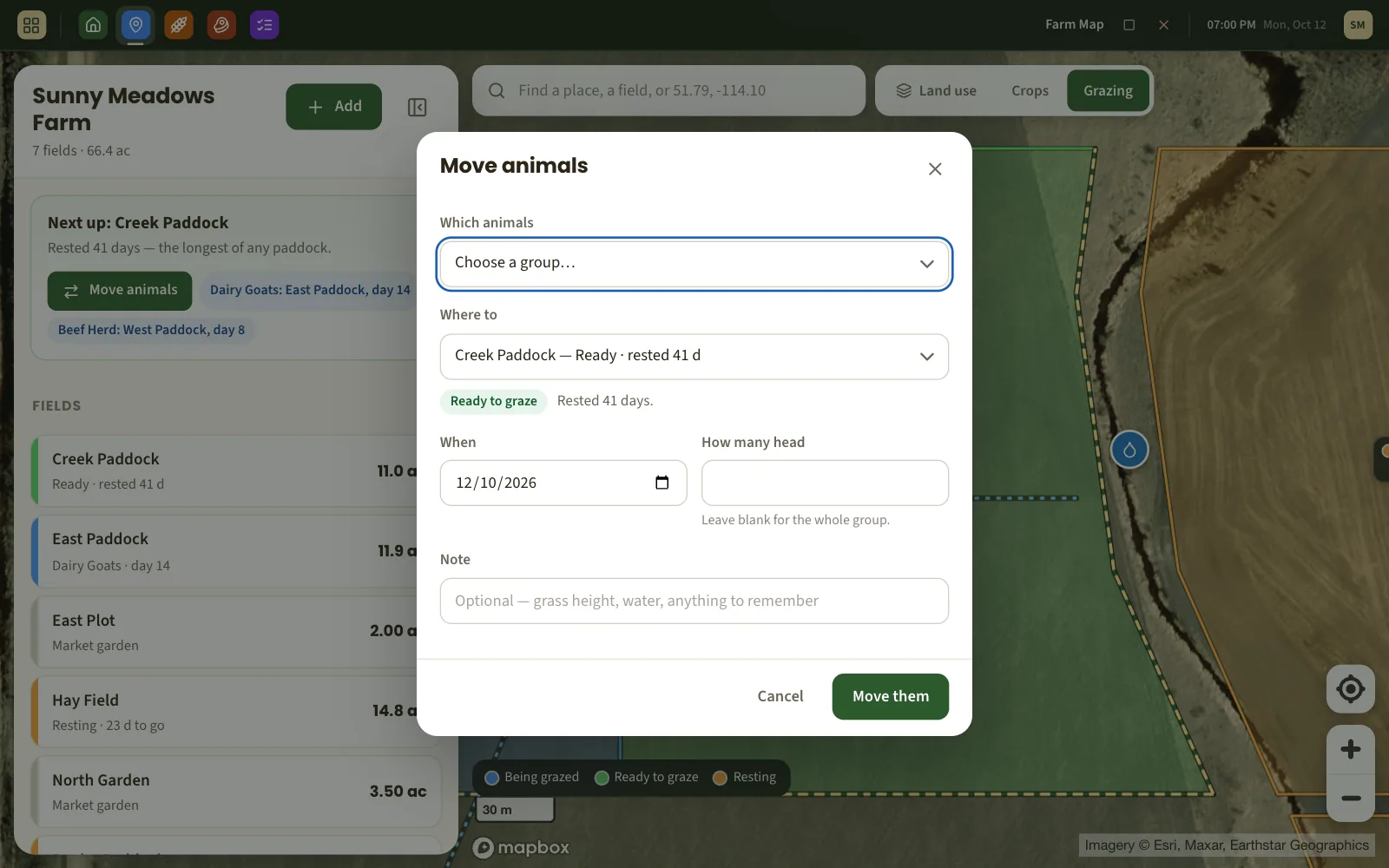
The whole rotation at a glance
On the map, paddocks being grazed are blue, resting ones amber, and the ones that have had their rest are green. Each carries the number that matters: day 7 of grazing, 18 days of rest to go, rested 40 days.
A rest target for every paddock, and the next one suggested
Set how many days each paddock should rest — thirty by default, longer for the dry hill, shorter for the irrigated piece. Pasture Path points at the next move: the ready paddock that has rested longest, or failing that, the one closest to ready.
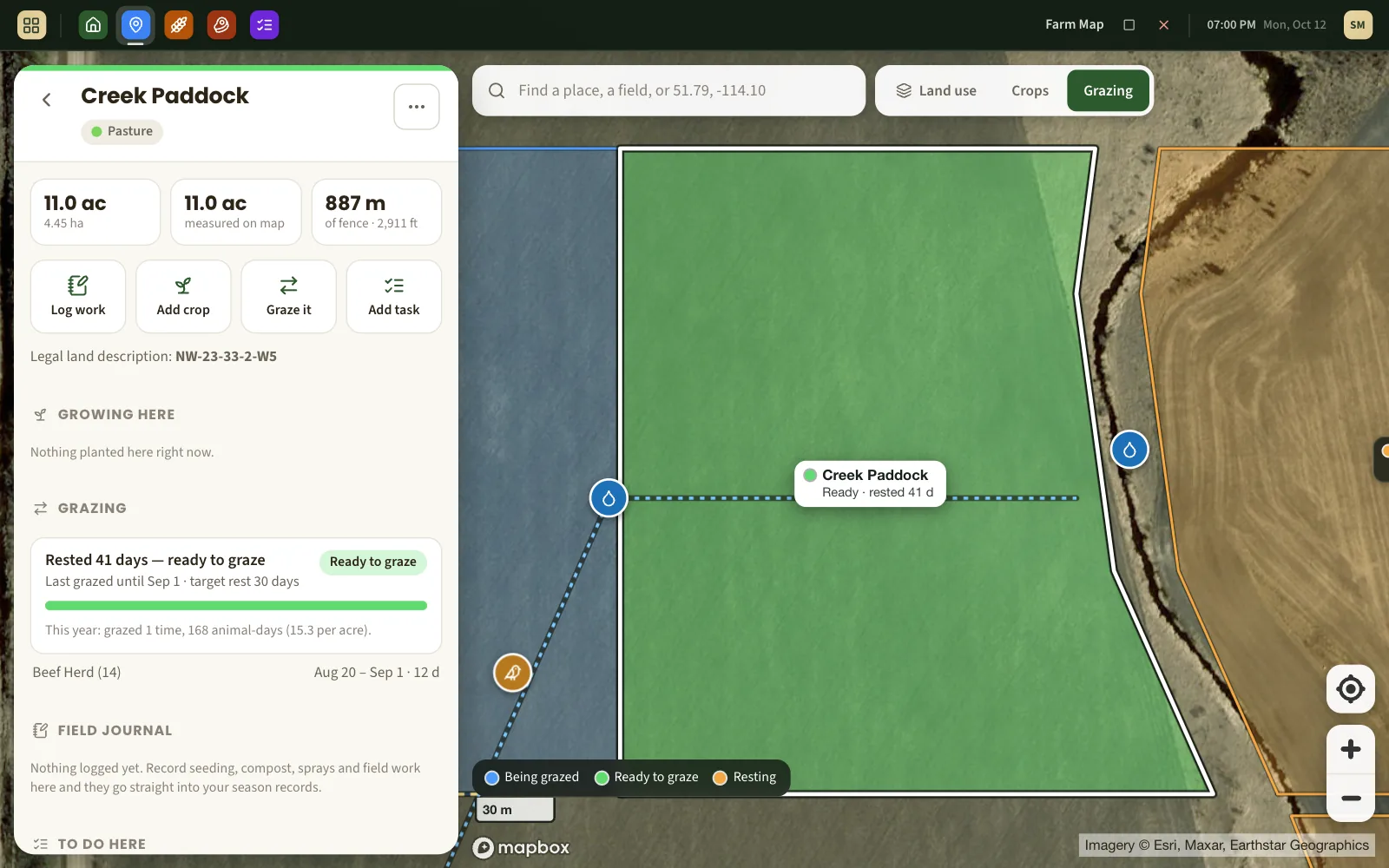
A grazing record that writes itself
Because every move is dated, the history is there when you want it: every stay on every paddock, the head count, and the animal-days per acre it added up to this year. It all lands in the season report alongside your field records.
What it does not do
- It does not measure grass. There is no forage estimate from satellite, no dry-matter model. It is your eye and your decision; this keeps the record and the clock.
- It does not weigh animals or track individuals. Groups, head counts and days.
- It does not set your stocking rate — though the free stocking rate calculator and paddock calculator will do that arithmetic with you.
About grazing with Pasture Path
How long should a paddock rest?
It depends on how fast the grass is growing: shorter when growth is fast in spring, a good deal longer in the heat of summer and into fall. That is why the rest target is yours to set on each paddock, and why the app shows days rested rather than telling you when to move.
How many paddocks do I need?
The usual rule is rest days divided by grazing days, plus one for each group. The paddock calculator works it out and sizes the paddocks for your herd.
Can I enter moves that already happened?
Yes. Any move can be given its real date, and past stays can be added or corrected, so you can bring this season's rotation in from your notebook.
Do I have to map my paddocks first?
No — a paddock can be just a name and a size. Drawn on the map, it also gets coloured by its grazing status and its acres are measured for you.
Does it work for sheep, goats or poultry?
Yes. A group is a group: beef herd, ewe flock, laying hens in a mobile coop. Rest days and moves work the same way.
What else Pasture Path does
Farm mapping
Draw fields and paddocks on satellite imagery and get their acres and fence length.
Free stocking rate calculator
How many animals a pasture can carry, with the arithmetic shown.
Free paddock calculator
How many paddocks a rotation needs, and how big to make them.
Keep this season's rotation on the map
Free while Pasture Path is in early access. No card, and your records are yours to download whenever you like.